Home/ONDC gift card guide
User guide · ONDC gift card
Use your ONDC gift card. Shop across ONDC buyer apps.
View your balance at giftcard.omnicard.in, then redeem it on any participating ONDC buyer app.
View your card.
- 01Open giftcard.omnicard.in
The OmniCard gift card portal.
- 02Enter your mobile number
Use the number your gift card was issued to.
- 03Verify with OTP
Enter the one-time password sent to your phone.
- 04See balance and details
Your card is ready for transactions.
Redeem on ONDC buyer apps such as these.







Redeem it.
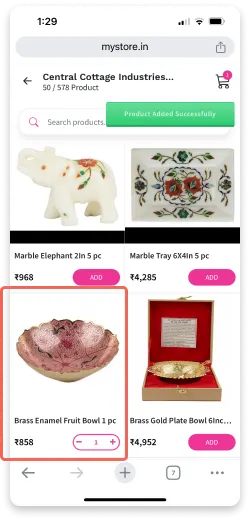
- 01Add items to your cart
On any participating ONDC buyer app.
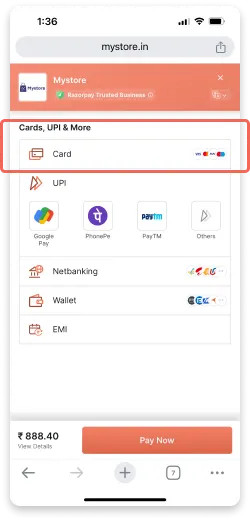
- 02Choose card as payment
Select 'Card' as the payment mode.
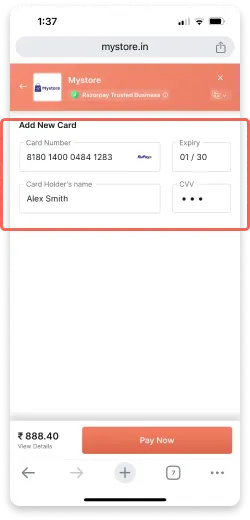
- 03Enter card details
Card number, expiry date and CVV.
- 04Confirm with OTP
Complete the OTP check and you are done.
What it looks like.