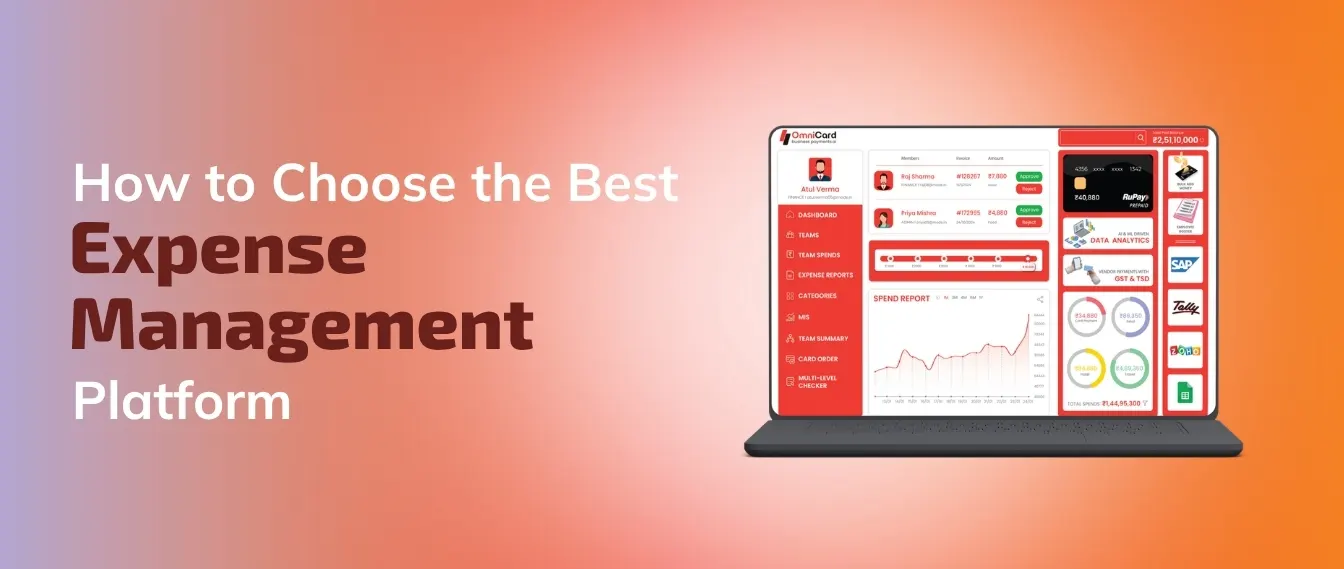
How to Choose the Best Expense Management Platform
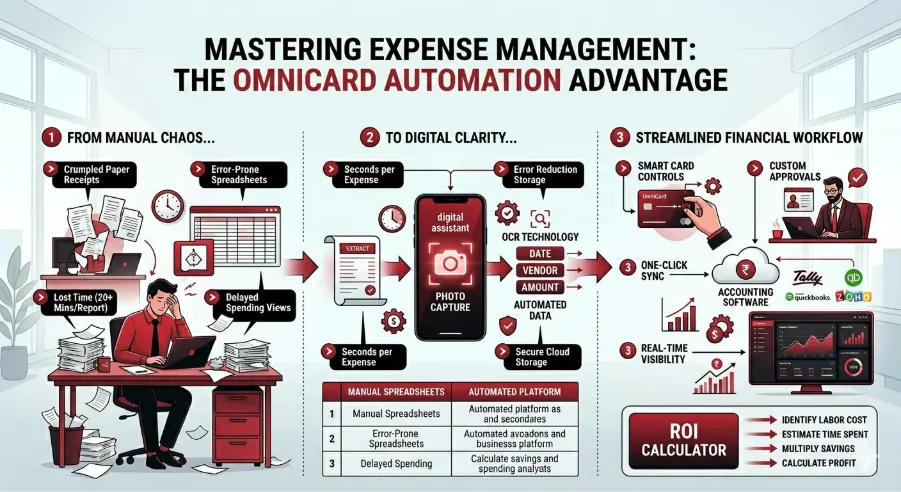
Staring at a pile of crumpled receipts while a spreadsheet cursor blinks back at you is a universal frustration for business owners. This manual data entry serves as a silent "time thief," quietly stealing hours every month that should be spent on client work or business strategy.
While spreadsheets often feel like a safe, zero-cost option, they harbour hidden expenses that limit your growth. Industry estimates suggest that manually processing a single expense report can consume over twenty minutes of labour, creating a massive drain on productivity over a full year. Beyond the lost time, relying on manual input increases the risk of human error, where a simple typo can lead to tax compliance issues or inaccurate budget tracking.
The right expense management software replaces this friction with automation, acting like a digital assistant that captures data the moment you snap a photo. OmniCard addresses this head-on by moving businesses from paper chaos to digital clarity, allowing you to stop chasing paper trails and start tracking real-time costs without typing a single line item.

What to Expect From This Blog?
The Hidden Cost of Manual Entry: Why "free" spreadsheets are actually expensive.
The Power of Scanning: How "photo-to-data" technology (OCR) replaces manual typing.
Setting Digital Guardrails: Using custom approval workflows to control team spending.
The Digital Bridge: How to link your expenses directly to your accounting software (Tally, QuickBooks, etc.).
Safety & Global Compliance: Ensuring your financial data is secure, RBI-compliant, and audit-ready.
Calculating ROI: A simple formula to see if the software pays for itself.
A 3-Step Migration Plan: How to switch from paper to digital without the stress.
Why the "Spreadsheet Method" does not work?

Many small and medium-sized businesses stick to spreadsheets because they appear free. However, when you look under the hood, the manual method is a major bottleneck for scaling.
Labor Leakage: If an employee earns ₹500 per hour and spends 3 hours a month on expense reports, that is ₹1,500 in lost productivity per person.
The "Memory Tax": Waiting until the end of the month to log expenses leads to forgotten details and lost receipts, meaning the business misses out on legitimate tax deductions.
Data Fragmentation: When expenses are stored in a file on one computer, the leadership team has no "bird's eye view" of company health until the accountant finishes the books weeks later.
Moving to an automated system like OmniCard provides immediate visibility. It turns "after-the-fact" reporting into "as-it-happens" tracking.
Why "Photo-to-Data" Technology (OCR) is a Must-Have
Modern expense platforms turn your smartphone into a high-powered data collection tool. The core of this is Optical Character Recognition (OCR)—a technology that reads text from an image and converts it into digital data.
Instant Capture: Snap a photo of the receipt the moment you pay. The app extracts the vendor name, date, and total amount.
Digital Shoebox: No more faded thermal paper or lost scraps. Every receipt is backed up in a secure cloud.
Eliminate "Fat Finger" Errors: Typos in manual entry can lead to massive reconciliation headaches. OCR ensures the data in the system matches the paper in your hand.
Mobile-First Workflow: For teams on the move, being able to submit an expense from a taxi or a job site means the office stays updated in real-time.
| Feature | Manual Spreadsheets | Automated Platform (OmniCard) |
|---|---|---|
| Data Entry | Manual typing for every line | Automated scan via smartphone camera |
| Receipt Storage | Physical folders or email attachments | Centralized, searchable digital vault |
| Accuracy | High risk of human error/typos | High precision with digital verification |
| Processing Time | 20+ minutes per report | Seconds per transaction |
| Visibility | Delayed (End of Month) | Instant (Real-Time) |
Enforce Rules Without Being the "Bad Guy"
Managing team spending often feels like an endless cycle of policing receipts and uncomfortable conversations about budget limits. Instead of manually checking every line item against a handbook, modern platforms allow you to set digital "guardrails."
Custom Approval Workflows: Create a chain of command. For example, small office supplies could be "auto-approved," while travel expenses over ₹10,000 are routed to a Director for review.
Smart Policy Enforcement: The software acts as an impartial judge. If a policy says "No alcohol on lunch receipts," the system can flag the item for review before it ever reaches your desk.
Spend Categories: Group costs into buckets like "Marketing," "Client Meetings," or "Utilities." This helps you see exactly where the budget is leaking.
Proactive Card Controls: OmniCard allows you to set limits on corporate cards directly. You can freeze cards, set daily limits, or restrict spending to specific merchant types (like fuel or food) to prevent misuse before it happens.
The "Digital Bridge": Syncing with Your Accounting Tools
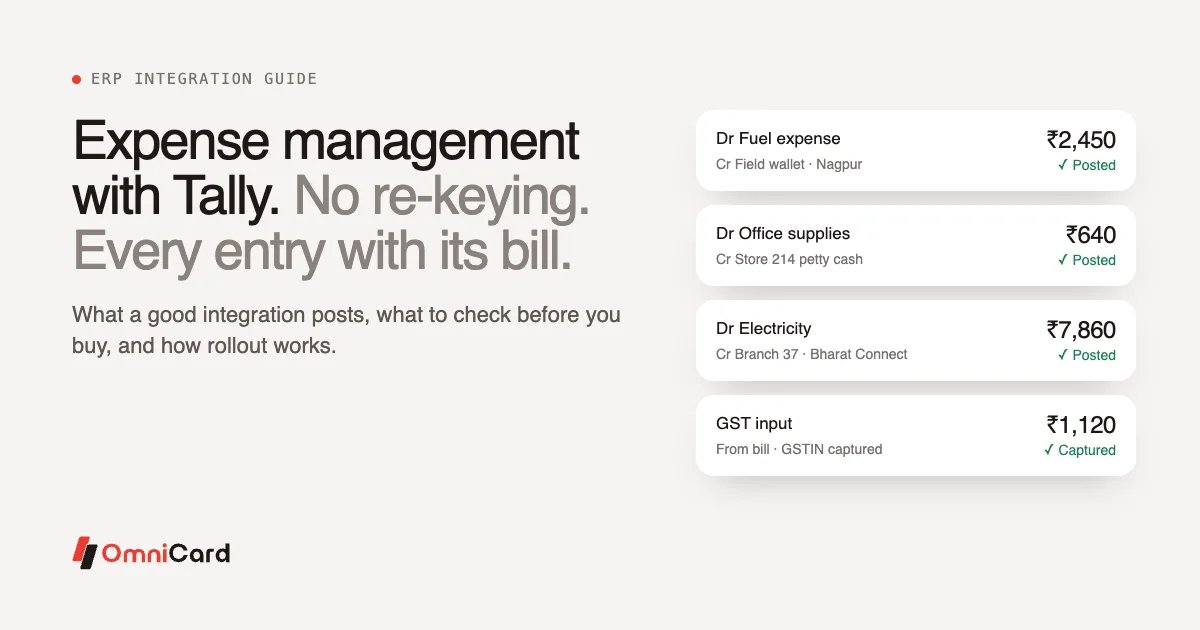
The biggest "win" for any finance team is eliminating double-entry. Your expense platform should act as a bridge that pushes data directly into your primary accounting software.
Seamless Integration: Whether you use Tally, Zoho Books, or QuickBooks, your platform should "speak" the same language. Approved expenses should flow into your general ledger with one click.
Automated Reconciliation: This is the process of matching a bank statement line item to a physical receipt. A robust platform does this automatically, flagging any "mystery charges" that don't have a matching document.
Real-Time Cash Flow: Instead of waiting for the 5th of the month to see last month's spend, you can see your current cash position at any moment.
ERP Readiness: As your business grows, your expense tool should scale with you, linking into larger Enterprise Resource Planning (ERP) systems without requiring a complete overhaul.
Safety, Security, and RBI Compliance
In India, handling corporate funds requires more than just a slick app; it requires a platform that understands the local regulatory landscape.
RBI-Authorized Standards: Using a platform like OmniCard, which operates under an RBI-authorized PPI license, ensures that your funds and data are handled with the highest level of institutional security.
Data Encryption: Sensitive banking details and employee information are "scrambled" (encrypted) so they remain unreadable to unauthorized users.
Audit-Ready History: When tax season arrives, an auditor will want to see the "Audit Trail." The software provides a permanent, time-stamped record of who spent the money, who approved it, and when it was paid.
Fraud Prevention: Real-time alerts let you know the second a card is swiped. If you don't recognize a charge, you can block the card instantly from your phone.
Is Automation Profitable? How to Calculate Your ROI
Automation isn't just a convenience; it's a financial strategy. To determine if a platform is worth the investment, use this simple Return on Investment (ROI) checklist:
Calculate Labor Cost: Identify the hourly rate of your finance manager or the business owner.
Estimate Time Spent: How many hours per month are spent chasing receipts, typing data, and fixing errors? (Average is 15-20 hours for small teams).
Multiply: (Hours Spent) x (Hourly Rate) = Current Manual Cost.
Compare: If the Current Manual Cost is higher than the OmniCard Subscription Fee, you are losing money every month you don't switch.
Example Scenario:
Manual Cost: 15 hours/month @ ₹1,000/hr = ₹15,000/month.
Software Cost: (Hypothetical) ₹2,000/month.
Net Profit from Switching: ₹13,000/month in reclaimed time.
Your 3-Step Plan to Switching Platforms Without the Stress
Transitioning to a digital workflow doesn't have to happen overnight. Follow this simple path to success:
Step 1: Identify Your "Pain Points"
Ask your team what they hate most about expenses. Is it losing receipts? Is it the slow reimbursement cycle? Knowing the problem helps you pick the right features.
Step 2: Start a Small Pilot
Choose a single department or a few frequent travelers to test the platform. Check how easily they can snap photos and how well the data flows into your accounting software.
Step 3: Set Your Rules and Go Live
Once the pilot is successful, upload your company spending policy into the app, set your card limits, and roll it out to the whole company. Provide a quick 10-minute demo on how to use the mobile app.
Final Thoughts: From Friction to Flow
Choosing the best expense management platform is about more than just tracking money—it's about reclaiming your time and gaining the clarity to make better business decisions. By moving away from manual spreadsheets and adopting an automated, secure solution like OmniCard, you remove the friction from your daily operations.
Your focus belongs on your clients and your growth strategy, not on a pile of crumpled receipts.
Book a Demo with OmniCard today!