Expense Approval Workflow: Types, Matrix and DOA Limits
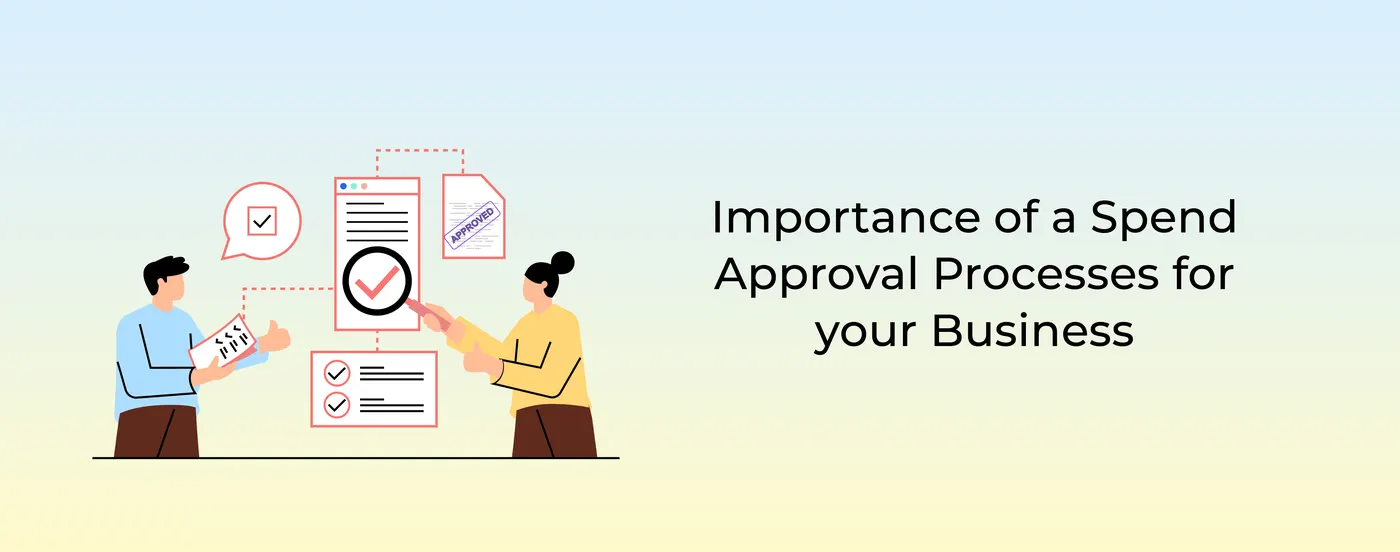
An expense approval workflow is the set of rules that decides who must approve a spend request or an expense claim, in what order and up to what amount, before money is paid. A good workflow routes each request by amount, department and category, records every decision, and checks limits before the money moves instead of after. This guide covers the main workflow types, a sample approval matrix, delegation of authority (DOA) limits and how to choose between pre-spend approval and post-spend claims.
What is an expense approval workflow?
Every business already has some approval process, even if it is "ask the boss on WhatsApp". An expense approval workflow makes that process explicit:
- Who can spend: which employees, branches or teams can raise a request or hold a card.
- Who approves: the approver, or chain of approvers, for each type and size of spend.
- Up to what limit: the amount each role can approve on its own, usually set in a delegation of authority policy.
- When: before the spend (pre-spend approval) or after it (post-spend claim).
- With what evidence: the bill, purpose, cost centre and any policy exception, kept as an audit trail.
Why a spend approval process matters
Financial control
Clear rules keep spending within the budget and the company's objectives. They reduce unauthorised or excessive spend, and give management visibility into where money is going.
Expense rationalisation
When employees know a request will be reviewed, they check whether the spend is needed and look for cheaper options. That cuts redundant purchases and improves how resources are used.
Lower financial risk and fraud
Multi-level checks mean larger expenses are seen by more than one person, which reduces errors, fraud and misuse of funds. Approval steps can also include compliance checks, such as a valid GST invoice or a registered vendor.
Transparency in decisions
Every approval, rejection and comment is recorded. That audit trail lets finance, auditors and management review spending patterns and hold people accountable.
Faster, simpler workflows
A defined approval hierarchy with timelines removes the guesswork about who to ask. Requests move to the right person the first time, so work is not held up.
Better budgeting and forecasting
Approval data shows what was requested, approved and spent, by team and category. That history makes budgets and forecasts more accurate.
Types of expense approval workflows
| Workflow type | How it works | Best for | Example |
|---|---|---|---|
| Single-level | One approver, usually the reporting manager, signs off | Small teams, low-value routine spend | A field executive's ₹1,500 travel claim goes to their manager |
| Multi-level (sequential) | The request passes through two or more approvers in order | Higher-value or sensitive spend | Manager, then department head, then finance for a ₹75,000 purchase |
| Amount-based (threshold) | The approval chain depends on the amount | Most businesses, as the backbone of the DOA | Up to ₹5,000 manager; up to ₹50,000 department head; above that, CFO |
| Department-wise (cost-centre) | Requests go to the owner of the department or cost centre that pays | Multi-department and multi-branch businesses | Marketing spend goes to the marketing head; store spend to the regional manager |
| Category-based | Certain categories add a specialist approver | IT, travel, gifts, capital items | Any laptop purchase also needs the IT head |
| Automated (rule-based) | Spend within policy is approved automatically; only exceptions go to a person | High-volume, low-value spend | Fuel under the daily limit at an approved merchant is auto-approved |
| Pre-spend | Approval is given before any money is spent, and the limit is applied at payment | Planned purchases, travel, vendor spend | An employee requests ₹20,000 for a client event; once approved, the amount can be spent |
Single-level approval
The simplest model. It works when spend is small and the approver knows the context. It becomes a bottleneck when one manager approves for a large team, and it gives no second check on larger amounts.
Multi-level approval
Each request moves through a chain, such as manager, then department head, then finance. Keep the chain short: each extra level adds delay, and approvers further up the chain tend to approve whatever the first approver passed. Two or three levels are enough for most spend.
Amount-based approval
The amount decides the route. This is the most common model because it matches effort to risk: small amounts move fast, large amounts get more eyes. Amount bands are usually set in the company's DOA policy.
Department-wise approval
Requests go to whoever owns the budget being spent. This keeps budget owners accountable and suits businesses with many departments, branches or stores.
Automated approval
Rules replace people for routine spend. If a payment is within the employee's limit, in an allowed category and at an allowed merchant, it goes through without anyone having to click "approve". Managers only see exceptions.
Pre-spend approval
The request is approved before the spend happens, and the approved amount becomes the limit at the point of payment. This is the strongest control because a spend outside policy never happens.
Delegation of authority (DOA) limits
A delegation of authority (DOA) policy, also called a delegation of financial powers, sets out which roles can approve which decisions and up to what amount. The board or management approves it, and the expense approval workflow puts it into practice.
A good DOA policy:
- Sets amount bands by grade or role, with a clear upper limit for each.
- Separates duties, so the person who raises a request cannot approve it, and the approver is not the person who pays.
- Covers categories, such as capital spend, vendor contracts, travel and gifts, which may have their own limits.
- Handles absence, with named delegates when an approver is on leave.
- Blocks split transactions, so a ₹60,000 purchase cannot be broken into two ₹30,000 requests to avoid a higher approver.
- Is reviewed every year, or when the organisation changes.
Sample approval matrix by grade and amount
This is an illustration only. Set your own bands to match your size, risk appetite and DOA policy.
| Requester's grade | Up to ₹5,000 | ₹5,001 to ₹25,000 | ₹25,001 to ₹1,00,000 | Above ₹1,00,000 |
|---|---|---|---|---|
| Executive or field staff | Auto-approved within policy | Reporting manager | Reporting manager, then department head | Manager, department head, then CFO |
| Manager | Auto-approved within policy | Auto-approved within policy | Department head | Department head, then CFO |
| Department head | Auto-approved within policy | Auto-approved within policy | Auto-approved within budget | CFO |
| CFO or director | Auto-approved within policy | Auto-approved within policy | Auto-approved within budget | CEO or board, as per DOA |
Common overlays on top of the matrix:
- Category rules: IT hardware also needs the IT head; gifts and entertainment always go to finance.
- Department rules: spend is charged to the requester's cost centre and routed to its owner.
- Location rules: store and branch spend goes to the area or regional manager.
- Out-of-policy spend: any exception, whatever the amount, goes to finance with a written reason.
Pre-spend approval vs post-spend claims
| Pre-spend approval | Post-spend claim | |
|---|---|---|
| When approval happens | Before the money is spent | After the employee has paid |
| Who pays first | The company, from company funds | The employee, from their own pocket |
| Control | Out-of-policy spend can be blocked at payment | Problems are found only when the claim is reviewed |
| Employee experience | No personal money at risk | Employee waits to be reimbursed |
| Finance workload | Fewer rejected claims and recoveries | More claim checking and follow-up |
| Best for | Planned and recurring spend, vendors, travel, field and branch spend | Occasional, unplanned or low-value spend |
Pre-spend approval means the employee asks first, the approver agrees, and the approved limit is applied when the payment is made, for example on a prepaid card or a business UPI ID. Spend outside the limit, category or merchant is declined before the money leaves.
Post-spend claims are the traditional reimbursement model: the employee pays, collects the bill, submits a claim and waits. Approval happens after the fact, so if the expense breaks policy, the money is already gone and has to be recovered.
Most businesses use both: pre-spend approval with card or UPI limits for regular spend, and post-spend claims for the occasional item an employee has to pay for personally.
How to design an expense approval workflow
- List your spend categories and who spends on each: travel, fuel, store supplies, vendor payments, software, marketing.
- Write or update your DOA policy with amount bands by grade and role.
- Decide what can be auto-approved, such as spend within a set limit, category and merchant.
- Set the approval chain for everything above the auto-approval limit, by amount, department and category.
- Choose pre-spend or post-spend for each category.
- Set response times and escalation, for example escalate to the next approver after 48 hours, and name delegates for leave.
- Enforce segregation of duties: no self-approval, and no approving your own manager's spend.
- Keep the audit trail: every request, bill, approval, rejection and comment, with timestamps.
- Review quarterly: check approval times, exceptions and rejected claims, and adjust the bands.
Common mistakes to avoid
- Too many levels. Five sign-offs for a ₹3,000 expense slow everyone down and add no control.
- Approving after the money is spent. Post-spend review finds problems too late to stop them.
- One bottleneck approver. A single person approving for hundreds of employees delays everything.
- Approvals on email or chat with no record. Auditors cannot rely on them, and they are easy to dispute.
- Ignoring split transactions. Without checks, large purchases get broken up to stay under a limit.
What to measure
- Average time from request to approval.
- Share of spend approved automatically within policy.
- Number and value of policy exceptions.
- Rejected claims and amounts recovered.
How OmniCard applies expense approval workflows
OmniCard puts approval rules at the point of payment. Employees, branches and stores pay from company funds using an @omni UPI ID or an OmniCard RuPay prepaid card, and the rules are checked before the money moves:
- Pre-spend controls: limits by employee, category (MCC), merchant, location (geo-fencing) and time are checked before the payment goes through. A payment outside policy is declined before money moves.
- Approvals anywhere: single or multi-level approvals from the app or WhatsApp, with a full audit trail.
- Post-spend claims: with Reimburse360, employees photograph the bill, OCR reads it, managers approve in one tap and approved claims are settled automatically.
- Books updated: bills are captured by OCR and entries post to ERP and accounting systems such as Tally, SAP, Oracle, Zoho and Microsoft Dynamics.
See spend management for how approvals, limits and reconciliation work together.
Frequently asked questions
What is an expense approval workflow?
It is the set of rules that decides who approves a spend request or expense claim, in what order and up to what amount, before money is paid. It usually routes requests by amount, department and category and keeps a record of every decision.
What is a DOA matrix?
A delegation of authority (DOA) matrix is a table that shows which roles can approve which types of spend and up to what amount. The expense approval workflow applies it to each request.
What is multi-level approval?
A request passes through two or more approvers in sequence, for example the reporting manager, then the department head, then finance. It is typically used for higher-value or sensitive spend.
What is the difference between pre-spend approval and a post-spend claim?
Pre-spend approval happens before the money is spent, and the approved limit is applied at payment. A post-spend claim is approved after the employee has paid, and the employee is then reimbursed.
How many approval levels should an expense have?
Most businesses need no more than two or three levels, tied to amount bands. Routine spend within policy can be approved automatically, so approvers only review exceptions and larger amounts.
Can small expenses be approved automatically?
Yes. Many businesses auto-approve spend within a set limit, category and merchant, and send only exceptions to a manager. This keeps control while cutting approval delays.
Conclusion
A clear expense approval workflow gives you control over spending, reduces risk and fraud, makes decisions transparent, speeds up routine approvals and improves budgeting. Start with a DOA policy, match approval levels to amount bands, auto-approve routine spend within policy and move as much spend as you can to pre-spend approval, so that problems are stopped before the money moves.